Learn how to improve your Google Maps ranking step by step. Discover proven local SEO tips to increase visibility, attract local customers, and grow your business.
If potential customers can't find you on Google Maps, chances are you're losing out on business from your local area. Google Maps is where people go to find nearby businesses all the time. Businesses that are more highly ranked on this map will receive more phone calls, website visits, map direction inquiries, and ultimately more sales.
The good thing is, boosting your presence in Google Maps doesn't demand that sort of big marketing budget. You can achieve that simply by doing some effective localised online marketing tactics and making your brand visible and getting the attention of customers in your area.
Below, we are giving you a complete guide in the form of steps so that you get to know what should be done and how.
Google Maps Rank - the Reasons you should care
Google Maps is almost the first site customers check while looking for local products or services. Businesses that appear among the top three search results (also called the "Local Pack") will capture the majority of clicks and customer engagement.
You can gain a lot from having a higher local rank on Google Maps, such as:
- Local exposure increase
- More calls
- Websites visits increase
- More questions for directions
- Customer reviews enhance trust
- More sales leads
Whether your business happens to be a restaurant, salon, legal office, retail store, or another type of service, a better Google Maps ranking will be the difference between doing well and merely getting by.
1. Get Started with the Claim of Your Google Business Profile
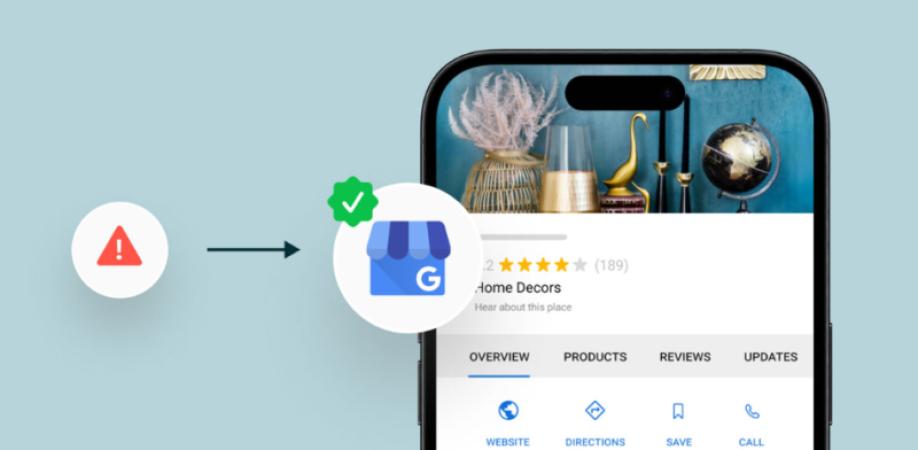
Having a claim and managing a Google Business Profile is a must for your presence on Google Maps. In order to control your business information, you have to do it. Otherwise, you are likely letting another entity manage your listing.
The first thing you are gonna do here is to verify ownership of your Google business page.
- Verify your address via the Google-verified delivery
- Make sure everything in your business details is as per facts.
- Do not relinquish your profile after claiming it. It has to be in your business account at all times.
Verification serves as the trust proof that you have been in business and the ability to update reviews, photos, etc,
2. Fully Fill the Different Sections of Your Google Business
Complete the business listing profile of Google in all sections because that is what Google likes the very most in your Google Business presence.
Things you must not miss:
- Business name:
- Main category - e.g., Barber, Restaurant
- Secondary category - e.g., if you are doing nail salons, you can add Nail Saloon to your business profile
- Location
- Phone number
- Webpage
- Operational hours
- Extra time during holidays
- Type of services provided
- Products that you sell
- Description
- Establishment period
- Regions of customers who you serve
The more your profile is detailed and filled with the right things,
3. Choose the Right Local Categories
The primary business category will mostly dictate the way you show up on Google Maps; hence, make sure that it is the right one that represents what your company mainly does.
To do local listings right, go to this step.
First, select an accurate main category for the core activity of your business and then add a couple of secondary categories describing the services you also provide.
For instance, dental practitioners may select:
- Main: Dentist
- Additional: Cosmetic Dentist
- Another additional: Emergency Dentist
If you get the categories right, it will be easier for Google to know your type of business and match it accordingly when searches are made.
4. Ensure Your Information Consistency on All Platforms
It makes it much easier for your customers to find you when the details of your business, like name, address, and phone, remain the same wherever they look up your info.
The following details of your business are to be identical everywhere:
- Business name
- Address
- Phone number (NAP)
It will help customers and Google build trust when there are no differences across multiple listings. On the other hand, confusion may arise, and even a minute detail such as a phone number written differently may lead to loss; you have to be very careful with that
Step 5: Keep Your Google Business Profile Pictures Updated
Suddenly, you're getting more responses on Google Business Profile when you update your pictures regularly. A few photos with the store sign or some old snapshots will rarely get you there.
Pictures to post:
- Photos of the store's outside
- Interior shots
- Team members
- Products and Services
- Projects finished
- Work "before" and "after" shots (as applicable)
New photographs communicate to Google your ongoing business and can be a factor for your visitors choosing you over others.
Step 6: You Should Ask for Feedback from Your Happy Customers
Google Maps is highly influenced by reviews so it is an area you should focus on.
Encourage your customers whom you have provided with a good service or have a successful experience with them to give an honest and accurate review of what you do.
You want to be as specific as possible with your requests:
- Ask all satisfied customers for a review.
- If possible, guide them through the review process via a direct review link for them.
- Never go to the extent of acquiring fake reviews in any form.
- Do not provide benefits or prizes in exchange for reviews.
Having regular and genuine reviews gives an impression of authenticity that could help your business and also be of benefit to Google.
Step 7: Be a Good Reply Person When It Comes to Reviews
By being responsive to customer reviews, you demonstrate excellent customer service to Google.
Be polite when you:
- Thank them for their positive reviews
- Deal gently and provide options for addressing complaints from negative reviews
Taking the time and energy to review a customer's feedback showcases your high standards while also making a point in favor of the Google visibility boost.
Step 8: Make Your Website Local-Friendly
To get optimal results from a Google Business Profile, your website must be a well-designed and optimized page.
Cover aspects on the site such as:
- Local terms/words which describe services, products, or other offerings that are local to a place and are used by people when searching for similar services.
- Dedicated pages highlighting specific services.
- Pages that provide information about different locations of the business.
- Phone numbers, emails, and physical addresses.
- Location map (Embedded)
- Fast website loading times are essential.
- A site layout that works best on mobile phones.
For instance, one of the keywords that you may have targeted to increase your traffic is "plumber." If you operate mainly in the city of Houston, you may want to change your strategy to "emergency plumber in Houston."
Step 9: Make Local Listings
Citations on business websites refer to local citations. A local citation is defined as the mention of your business's NAP info (name, address, and phone) somewhere on the web.
Get the listing of your firm on top-quality directories, including:
- Cross-country directories for local businesses
- Sector-specific directories
- COCs
- Directory listing through the Local Association
Maintain the accuracy and same spelling of your business name, address, and contact number in all the listings you get on the net
Step 10: You can do this on many levels and also make it more local to get the results
In addition, content is one of the factors that support local Google Maps ranking as well.
Your Google Business Listing, as well as your own website, can benefit from a content strategy. It would be interesting to create content that could address, for example:
- The areas where customers can enjoy your service most
- Tips for seasonal maintenance
- Local events
- Mentioning how you contribute to the community
- Examples of customers who benefited from your services
- Questions that come up often
Localized content makes it more plausible that your website will be the first result of users searching based on their geographic location, and that way you reinforce the overall SEO for your local presence.
Step 11: Earn a Few Local Backlinks
Earning backlinks from reputable local website operators enhances your local authority as far as SEO and visibility.
The following are some ways to get local backlinks
- Your area’s most-read newspapers
- Community groups
- Event sponsorships
- Business alliances
- Local bloggers and vloggers
- You can get a listing in a local or national industry association
High-quality backlinks are a signal to Google that your business is a legitimate member in your
Step 12: Keep Your Profile Active
Google prefers businesses that regularly update their profiles.
Stay active by:
- Posting business updates
- Sharing promotions
- Adding new photos
- Updating services
- Announcing events
- Revising business hours when needed
Regular activity signals that your business is open, engaged, and relevant.
Common Mistakes That Hurt Google Maps Rankings
Avoid these common errors:
- Incomplete Google Business Profile
- Incorrect business categories
- Inconsistent business information
- Fake reviews
- Keyword stuffing in your business name
- Ignoring customer reviews
- Outdated business hours
- Low-quality or missing photos
- Neglecting your website's local SEO
Correcting these issues can improve both your rankings and customer experience.
How Long Does It Take to Improve Google Maps Rankings?
There's no fixed timeline because results depend on your competition, location, and the quality of your optimization efforts.
Many businesses notice improvements within a few weeks after updating their Google Business Profile and consistently collecting reviews. In more competitive industries, it may take several months of ongoing local SEO work to achieve significant ranking gains.
The key is consistency. Regular updates, accurate business information, positive customer reviews, and a strong local SEO strategy all contribute to better long-term performance.
Final Thoughts
Improving your Google Maps ranking isn't about finding shortcuts—it's about building a trustworthy, complete, and active online presence. By optimizing your Google Business Profile, maintaining consistent business information, earning genuine customer reviews, publishing valuable local content, and strengthening your website's local SEO, you can increase your visibility and attract more nearby customers.
Remember that Google Maps rankings are not static. Businesses that continually update their profiles, engage with customers, and provide accurate information are more likely to stay ahead of the competition. Start implementing these steps today, monitor your progress, and you'll be well on your way to earning more local traffic, leads, and sales.